
Beginner guide · Play in your browser
How to Play Taipei GTA in Your Browser
Open the game from this site’s homepage, then use the steps and controls below to get moving. Taipei GTA runs in a web browser; no app download is needed.
Start Taipei GTA in four steps
The first load needs an internet connection because the browser has to fetch the game resources. The exact wait varies with your connection and device.
- Open the IndexTPG homepage using the same language version as this guide.
- Scroll to the Taipei GTA game area and choose Start Game.
- Wait for the scene and its controls to appear; loading time varies with network conditions and hardware and software performance.
- Click once inside the game area so it receives keyboard and mouse input, then follow any on-screen prompt.
Devices, browsers, accounts, and connection
Play on a desktop or mobile browser; you do not need to install an app or register or log in. A stable internet connection is needed to load the game resources. On mobile, open the homepage in your browser and tap the game area; touch controls and both portrait and landscape layouts are supported.
Keyboard controls: walking and driving
Click the game area first to focus it. If Esc only exits browser fullscreen or releases the pointer, click the game area again.
On foot and general
- W / A / S / D — move.
- Mouse — look around.
- Shift — sprint; Space — jump.
- E — interact when an on-screen prompt appears.
- Tab / B — switch weapon or gear; check the in-game instructions for details.
- M — map; T — phone; Esc — pause or leave fullscreen, depending on the current state.
Driving
- F — enter or exit a vehicle.
- W — accelerate; S — brake or reverse.
- A / D — steer.
- Space — handbrake.
- H / Q — horn or radio; V / C — camera or look back.
What to do in your first 10 minutes
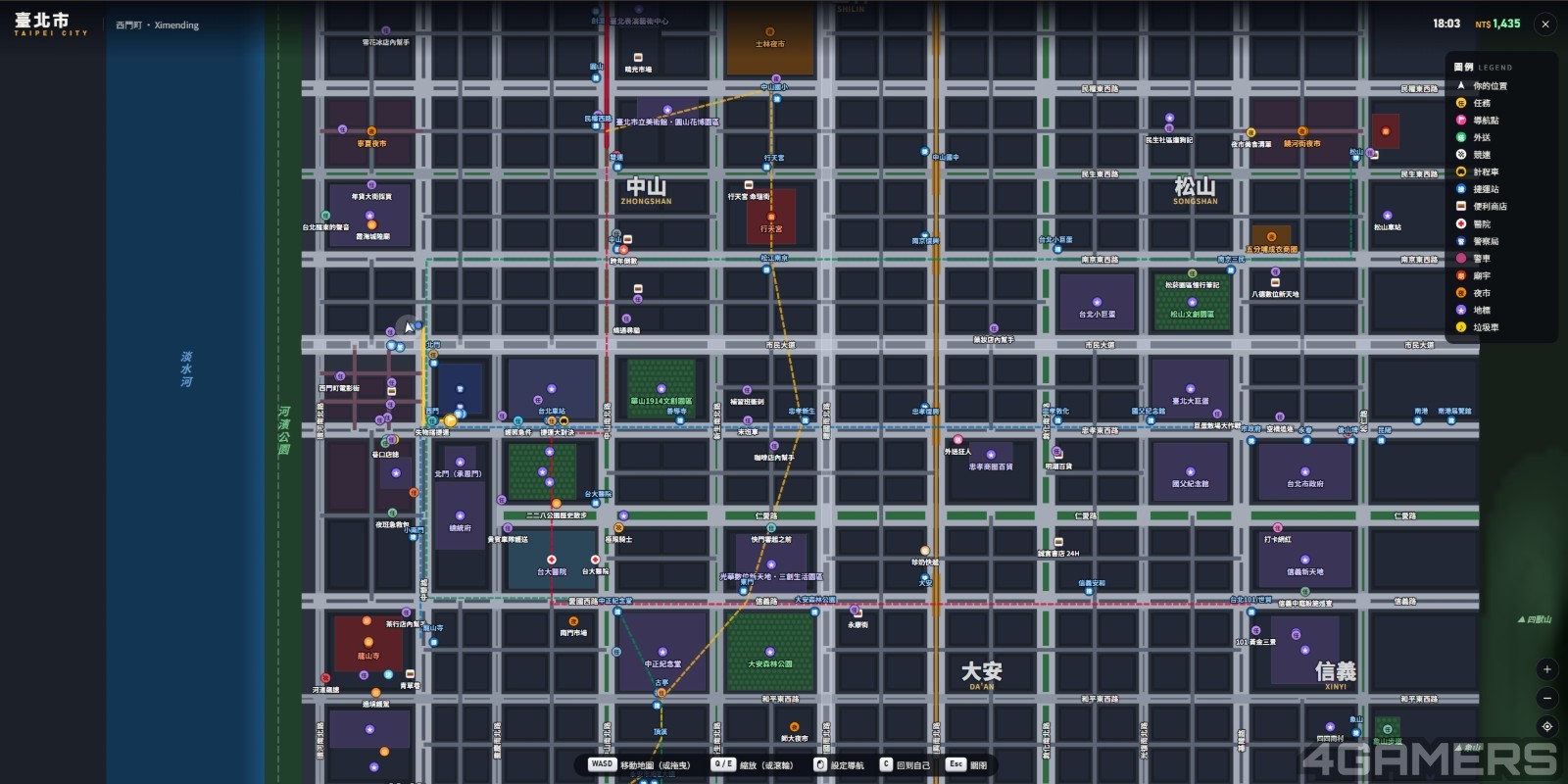
Use the first few minutes to learn the controls before chasing weapons or objectives. The screenshot shows the in-game map view.
- Read the visible prompts and locate the map or navigation controls.
- Walk with W/A/S/D and adjust the camera with the mouse in a safe open area.
- Try E only when an interaction prompt is visible; the prompt tells you what the scene accepts.
- If you find a vehicle, press F to enter, test W/S and A/D at low speed, then use F to leave.
- Open M or T to inspect navigation or the phone. Leave weapon hunting and unfamiliar missions until you understand the controls.
Fix a black screen, loading, sound, input, or lag
- Black screen — the scene may not have loaded or the browser tab may have stalled; refresh once, then wait for the game area to redraw.
- Loading indefinitely — the connection may be interrupted; check that other pages load, then reload the homepage and start again.
- No sound — the tab or device may be muted; check the tab, system volume, and browser sound permission.
- Controls do nothing — keyboard focus may be outside the game; click inside the game area and try one key again.
- Choppy picture — the device may be under load or the connection unstable; close other heavy tabs and move to a steadier connection.
What does Taipei GTA mean?
The full title is Taipei GTA: Go Taipei (臺北GTA:去臺北狂飆). GTA stands for Grand Theft Auto; Taipei GTA is a separate browser game and is not made by Rockstar Games. A browser game runs through a web page without a separate game app. An iframe is an embedded frame: the homepage displays the game inside a bounded area, like a page within a page.
Taipei GTA is not GTA 5 or GTA Online
Taipei GTA, Grand Theft Auto V, and GTA Online are separate products. Their missions, maps, accounts, purchases, and controls do not automatically match. Use the prompts and controls shown in Taipei GTA itself rather than importing GTA 5 instructions.
Answers to common Taipei GTA searches
Where can I download Taipei GTA? / Can you download it for me?
No download is needed. Open our homepage, select Start Game, and click inside the game area after it loads.
Taipei GTA guide
Start at the homepage, learn the on-foot controls, then try driving and navigation in that order.
What is the full name of Taipei GTA?
Taipei GTA: Go Taipei, also written 臺北GTA:去臺北狂飆.
taipei-gta.vercel
The original game site is https://www.taipei-rush.app/.
Who is Taipei GTA suitable for?
It suits people who want to try a browser game without installing an app and are comfortable learning from on-screen prompts. It is a poor fit if you need an offline game, a guaranteed touch layout, or confirmed weapon instructions before starting. Start by learning the basic movement and driving inputs.